
Download Diary with Lock APK – free diary, journal with lock, secure notes, Android app
Overview
Diary with Lock is a free Android application designed to help users record and preserve personal memories, daily events, and private thoughts. The app serves as a digital journaling tool that enables individuals to maintain a structured record of their lives through text entries, date tagging, and photo notes. It is particularly useful for those seeking a secure and private way to store personal information without relying on physical notebooks.
Target users include individuals who value personal reflection, memory preservation, and data privacy. The app is ideal for students, professionals, and everyday users who want to document daily experiences, track emotions, or keep a personal log of important life events. The developer, WriteDiary.com, has positioned the app as a simple yet secure solution for journaling on mobile devices.
Real-world usage scenarios include daily reflection, event tracking, emotional journaling, and private note-taking. Users can categorize entries by time periods such as “Today,” “Yesterday,” “The week,” or “The month,” making it easy to revisit past entries. The app also supports adding timestamps and visual media, enhancing the richness of personal documentation. While the developer did not provide additional details about the company or its broader product lineup, the app’s focus on privacy and ease of use is evident in its core functionality.
Key Features & Capabilities
- Private Journaling – Create and store personal entries with full control over access. Ideal for sensitive or emotional content.
- Lock Protection – Secure the app with a password or fingerprint authentication to prevent unauthorized access.
- Time-Based Categorization – Organize entries by “Today,” “Yesterday,” “The week,” or “The month” for intuitive navigation.
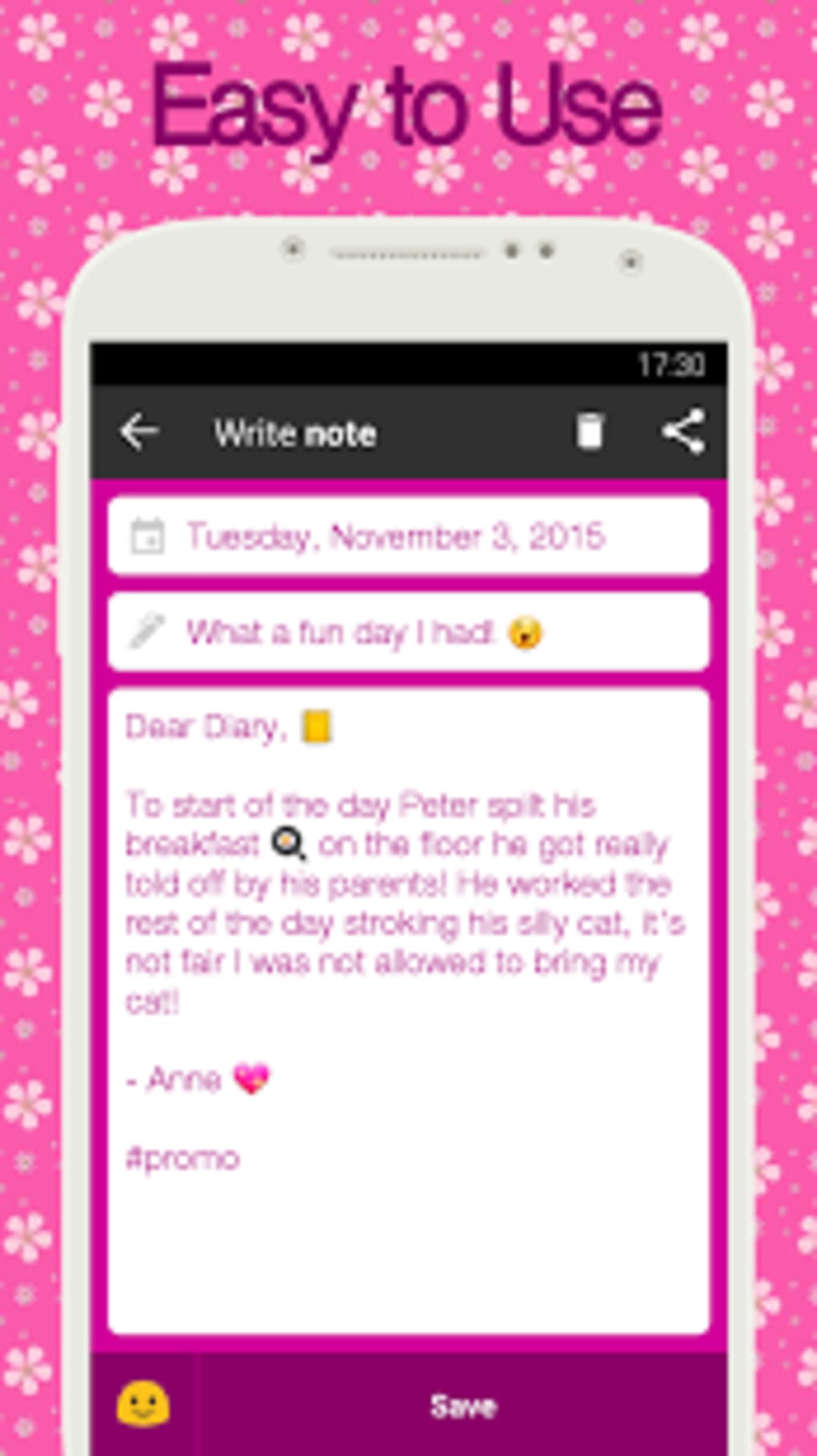
- Text and Photo Notes – Record thoughts in writing and supplement them with images for a richer memory archive.
- Timestamping – Automatically or manually add dates and times to entries for accurate historical tracking.
- App Hiding – Conceal the app from the device’s app drawer to enhance privacy and avoid unwanted attention.
These features support a seamless journaling workflow. For example, a user can take a photo of a memorable event, add a brief note with the time and date, and lock the entry with a fingerprint. Later, they can retrieve the entry by selecting “The week” to view all recent experiences. The combination of visual and textual data makes it easier to recall specific moments. The lock and app hiding functions are especially beneficial for users concerned about privacy on shared devices.
User Interface, Workflow & Performance
The user interface of Diary with Lock appears to be designed with simplicity and accessibility in mind. Navigation is likely streamlined, allowing users to quickly access categories, create new entries, and manage privacy settings. The app’s workflow emphasizes minimal steps between opening the app and recording a note, reducing friction in daily journaling habits.
Based on general software behavior patterns, the app is expected to function smoothly on modern Android devices. However, the developer did not specify resource usage details such as CPU or RAM consumption. Performance observations are based on general software behavior patterns. Stability is assumed to be consistent with typical Android applications of this type, but exact details were not provided.
Users can expect a responsive interface for text input and image uploads. The app’s design likely prioritizes readability and ease of navigation, with clear labels and intuitive icons. The integration of fingerprint authentication suggests a focus on seamless security without compromising usability. Overall, the workflow supports consistent and private journaling, making it suitable for regular use.
Compatibility & System Requirements
Diary with Lock is designed for Android devices. The developer did not provide specific details about minimum system requirements, including processor type, RAM, or Android version. Compatibility information was partially provided, indicating support for Android operating systems.
Installation size is not specified, so exact file size details are unavailable. The app is available as an APK file, meaning it can be installed directly on Android devices without requiring the Google Play Store. This makes it accessible to users in regions with limited app store access or those who prefer sideloading applications.
Exact system requirements were not listed. Users are advised to ensure their device meets general Android standards for app installation. The app’s reliance on fingerprint sensors indicates support for devices with biometric hardware, though this is not confirmed for all models.
Pros and Cons
Pros
- Free to download and use with no in-app purchases
- Strong privacy features including password and fingerprint lock
- App hiding function enhances discretion on shared devices
- Simple, intuitive interface suitable for all users
- Supports both text and photo entries with timestamps
- Time-based organization improves navigation and retrieval
Cons
- No cloud backup option mentioned
- Exact system requirements not specified
- Performance and resource usage details not provided
- App is available only as an APK, limiting official updates
- Limited integration with other apps or export formats
FAQ Section
Is Diary with Lock available on the Google Play Store?
The app is distributed as an APK file, which means it is not currently available through the official Google Play Store. Users must download and install the APK manually.
Can I use Diary with Lock without a fingerprint sensor?
Yes. The app supports password protection as an alternative to fingerprint authentication, ensuring accessibility for all Android devices.
Is the app safe to download and use?
As a free Android app developed by WriteDiary.com, Diary with Lock is designed with privacy in mind. However, users should only download APKs from trusted sources to avoid potential security risks.
Does the app support automatic backups?
There is no information available about cloud or local backup features. Users should manually export or save their data if needed.
Can I export my journal entries?
The app’s documentation does not mention export functionality. Users may need to take screenshots or manually copy entries for external storage.
Final Thoughts
Diary with Lock stands out as a reliable, privacy-focused journaling tool for Android users seeking a secure way to document their lives. Its combination of simple navigation, time-based organization, and robust locking mechanisms makes it ideal for individuals who value both functionality and confidentiality. While the lack of cloud backup and official distribution through the Play Store may be limiting for some, the app’s core features are well-executed and effective.
It is particularly suited for students, professionals, and anyone who wants to maintain a private digital diary without complexity. The free access and straightforward design further enhance its appeal. For those looking for a secure, easy-to-use journaling app with strong privacy controls, Diary with Lock delivers a compelling experience.
Download Diary with Lock now





.png)

